How To Apply Line Item Discount In Purchase Invoice (New Version)
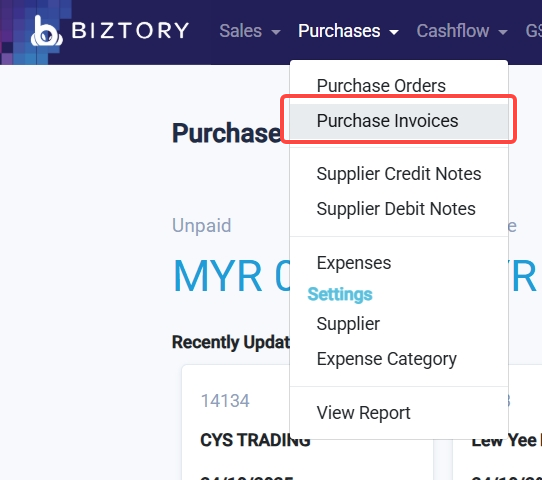
1. Go to Purchases > Purchase Invoices.
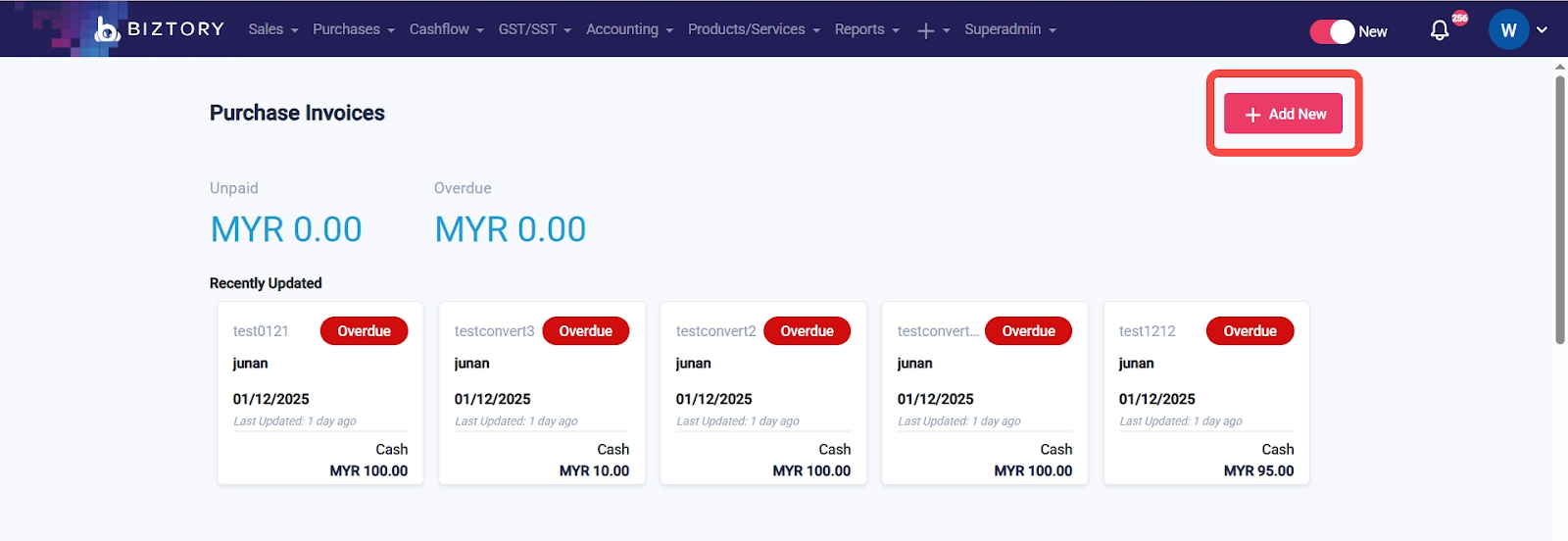
2. Create a new Purchase Invoice.
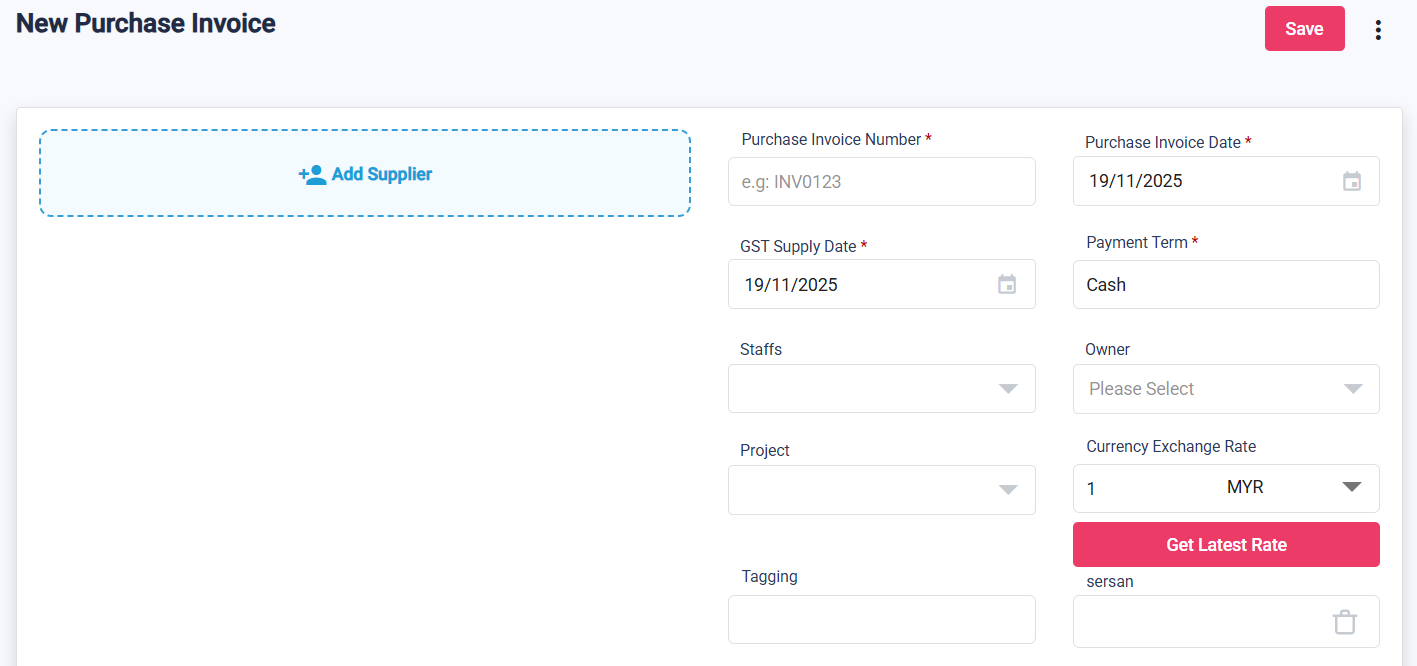
3. Enter the supplier details.
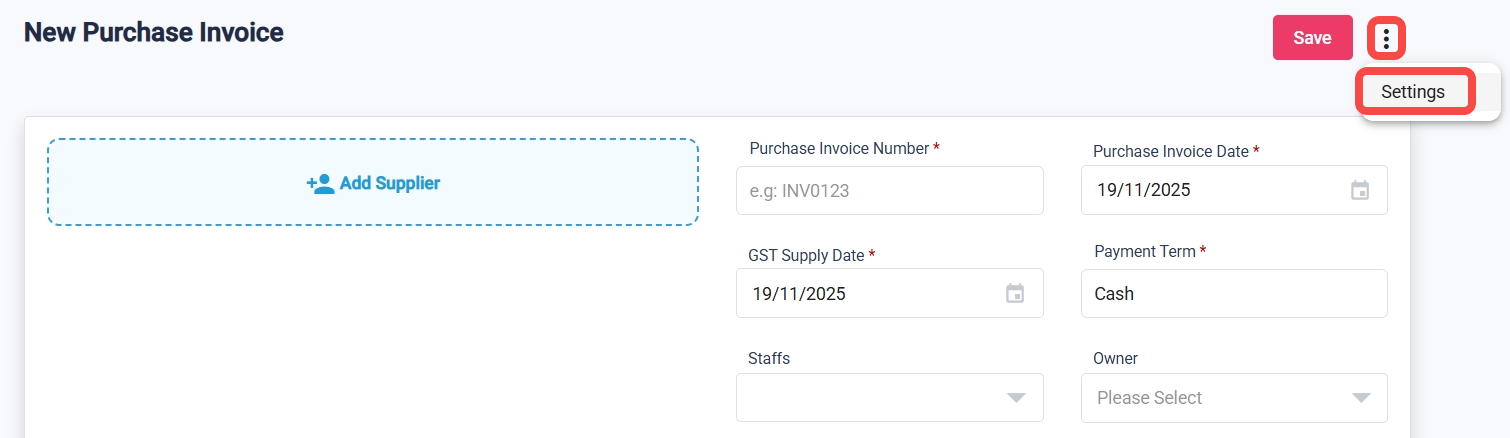
4. Click the three dots (⋮) > Setting.
5. Turn on Line Item Discount and click Apply.
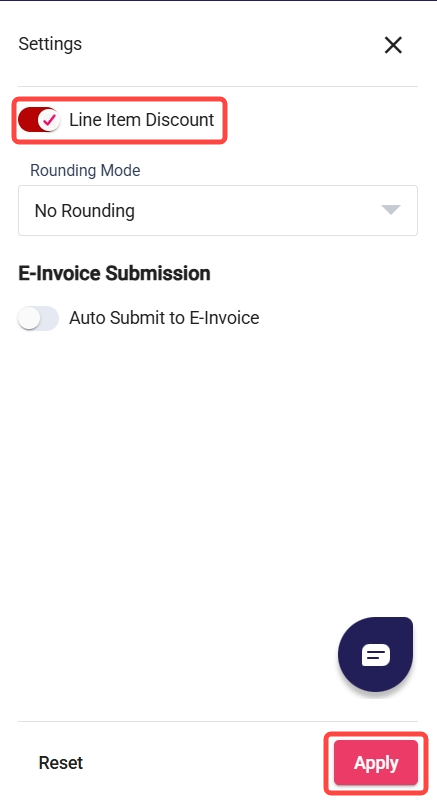
6. A Discount column will appear for each item line.

7. You can input the discount either as an amount, a percentage, or a combination of both.
Use % sign after number (e.g. 5%) for percentage
Use + for combination (e.g. 10%+20) for 10% discount + RM20 discount)

Was this article helpful?
That’s Great!
Thank you for your feedback
Sorry! We couldn't be helpful
Thank you for your feedback
Feedback sent
We appreciate your effort and will try to fix the article