When you need to import a large volume of customer or supplier details—or update missing e-Invoice information for existing profiles—you can use the self-service CSV Import tool.
Steps to Import Details via CSV:
Click on your profile/company icon at the top right and select Settings.
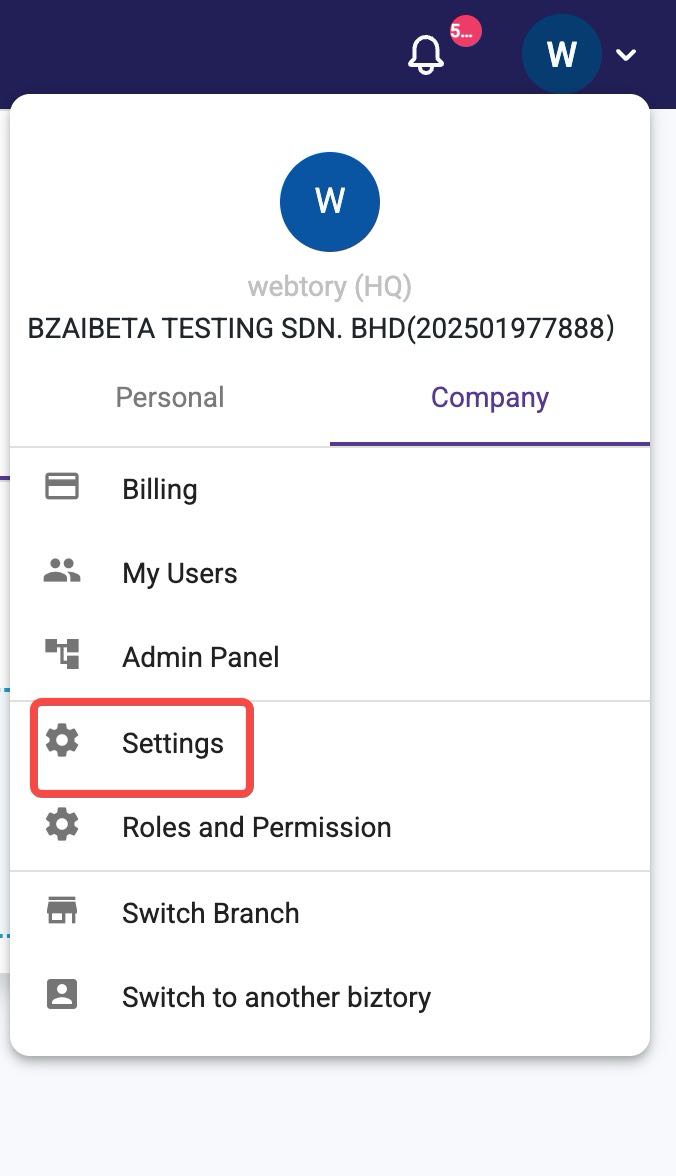
Go to Integration ➔ CSV Import.
Select the Customer (or Supplier) tab.
Click the three dots icon (⋮) next to the Import button and select Download Sample Csv.
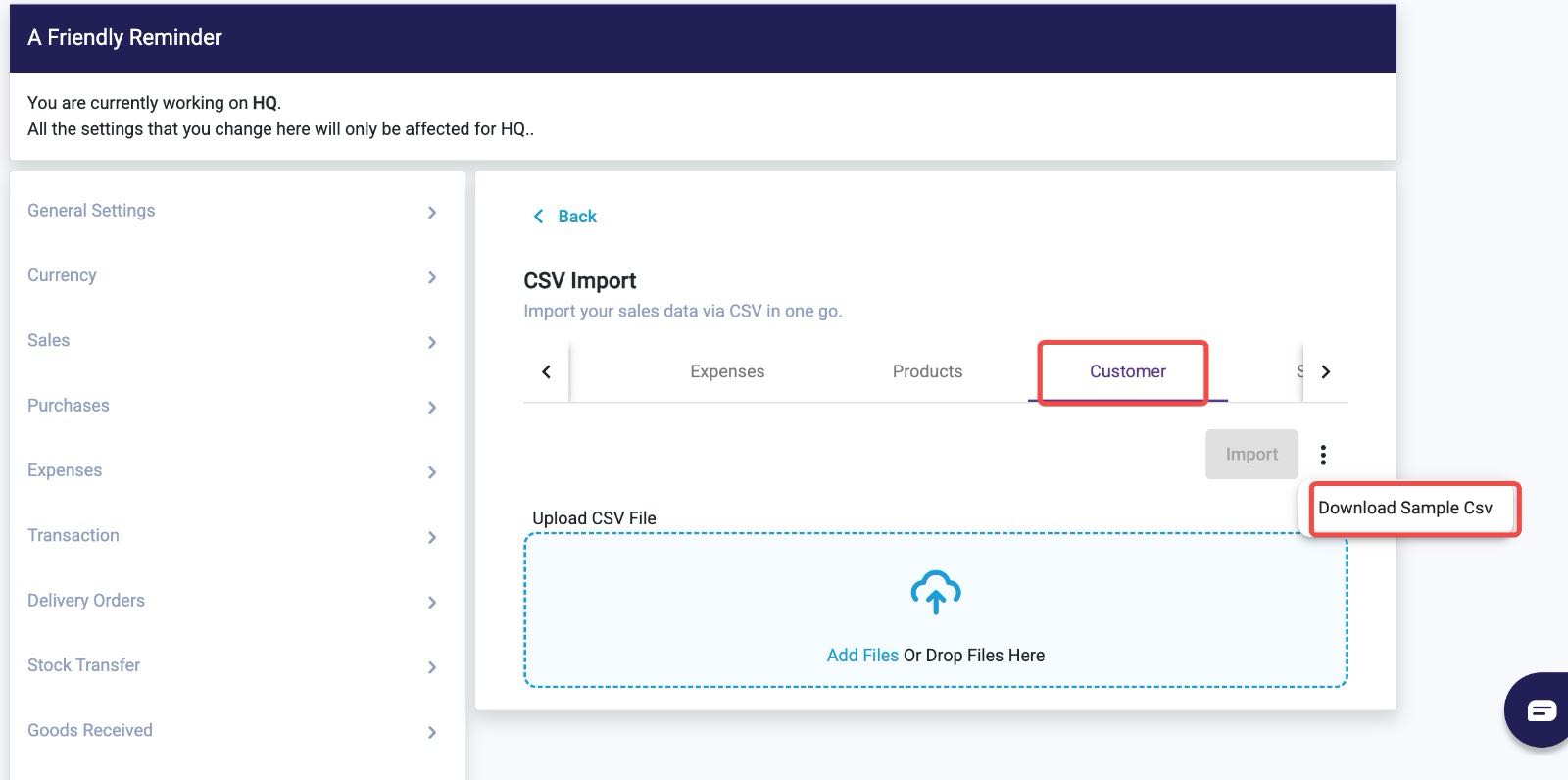
Fill in your customer/supplier information into the downloaded CSV file.
Return to the same page, upload or drag and drop your completed CSV file into the Upload CSV File box, and click Import.
Updating Missing E-Invoice Info for Existing Contacts:
For customers or suppliers that have already been created in the system but are missing E-Invoice details, you only need to complete the following columns in the CSV template:
Customer / Supplier Name
E-Invoice Columns (including
ID_Type,ID_No, andTIN_No)
Was this article helpful?
That’s Great!
Thank you for your feedback
Sorry! We couldn't be helpful
Thank you for your feedback
Feedback sent
We appreciate your effort and will try to fix the article