Enable "Direct e-Invoice on QR Code If you would like the QR code on your invoice to directly open the validated e-Invoice document when scanned, you can enable the following setting:
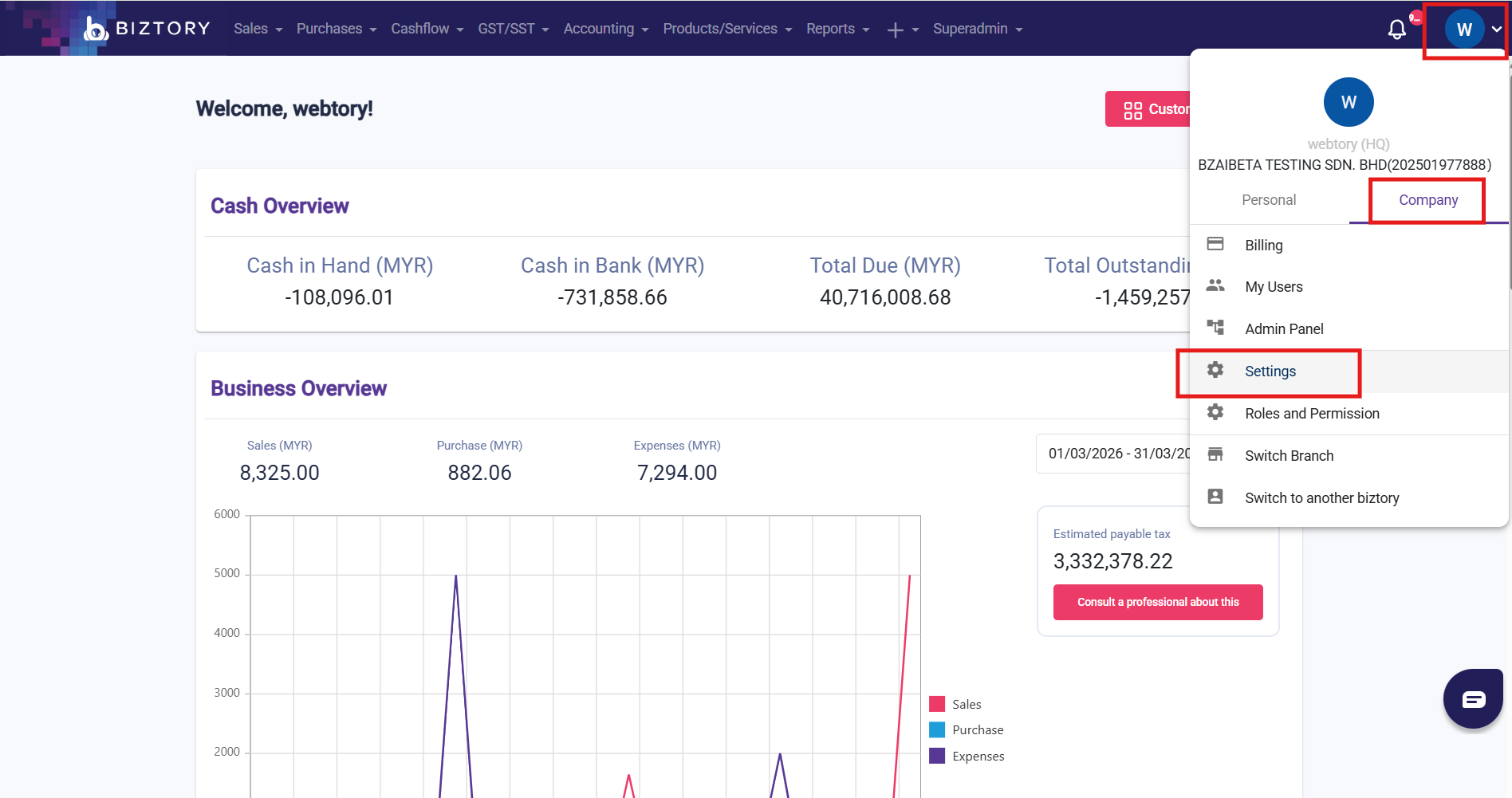
- Go to "Profile" > "Company" > "Setting"
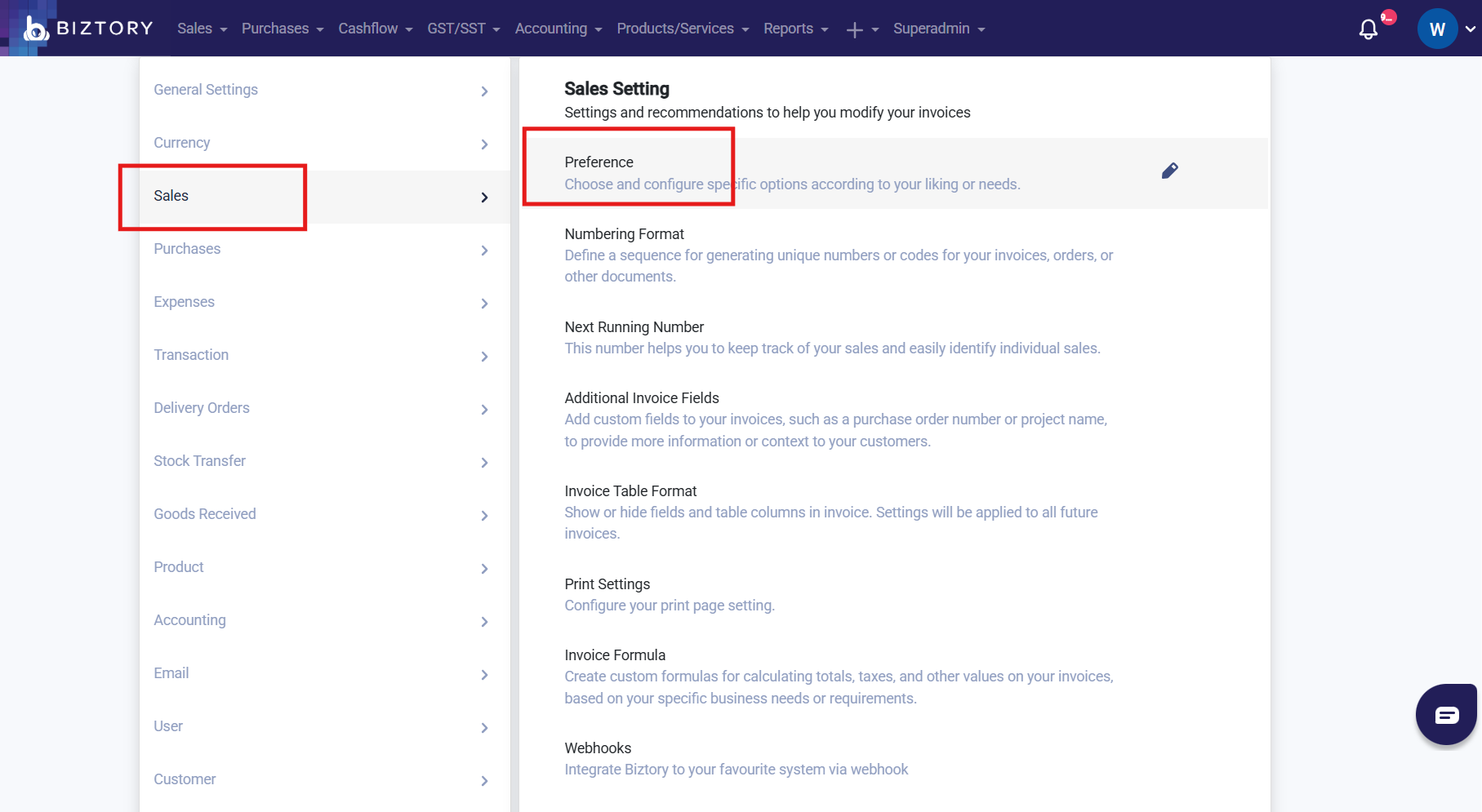
- Navigate to "Sales" > "Preference"
- Enable "Direct e-Invoice QR Code on Invoice"
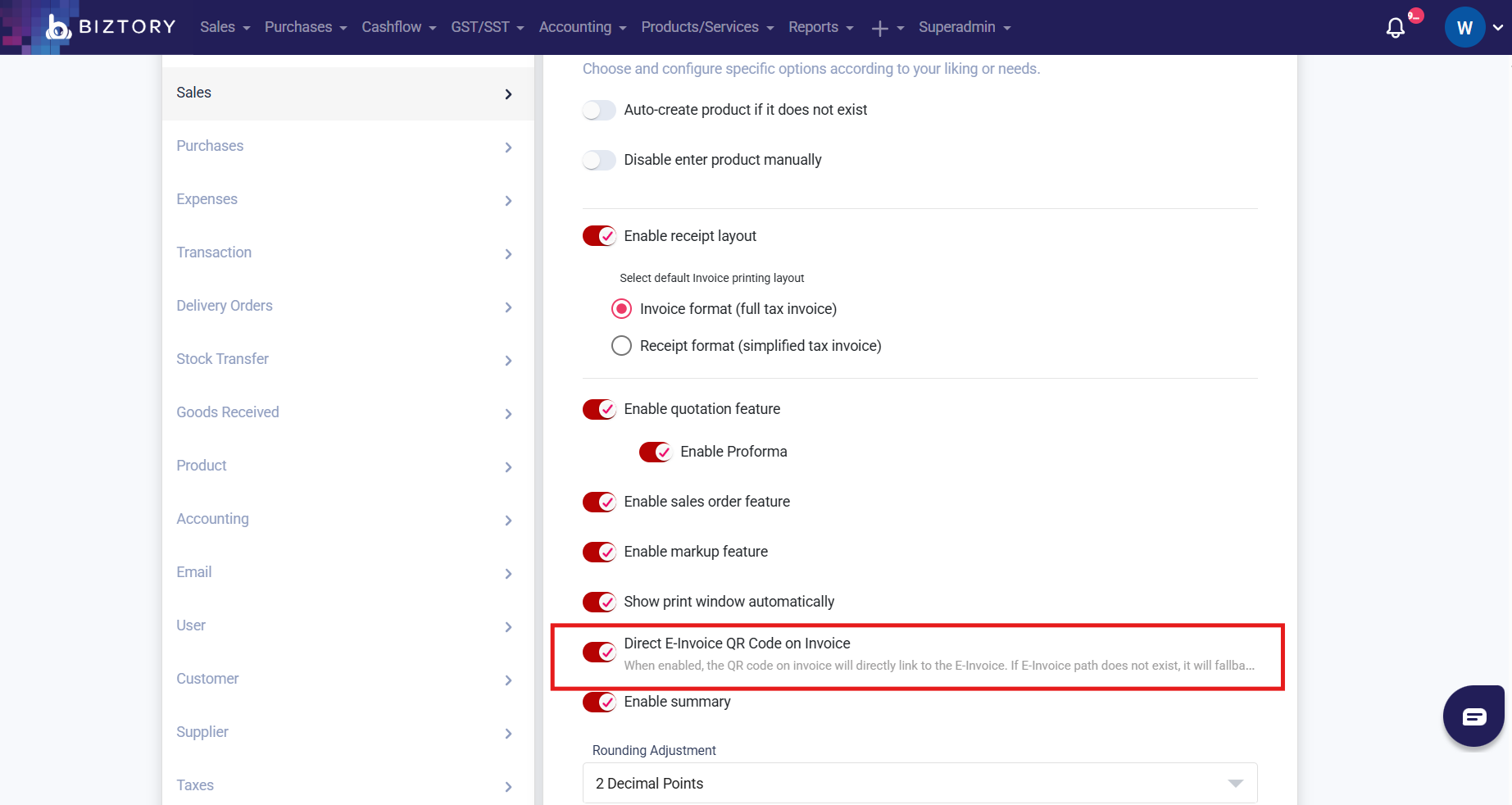
Once this setting is turned on, scanning the QR code will redirect users directly to the validated e-Invoice document.
Please note that the validated e-Invoice document will only be displayed when the Sales Invoice has been successfully submitted as an e-Invoice and has obtained a "Valid" status.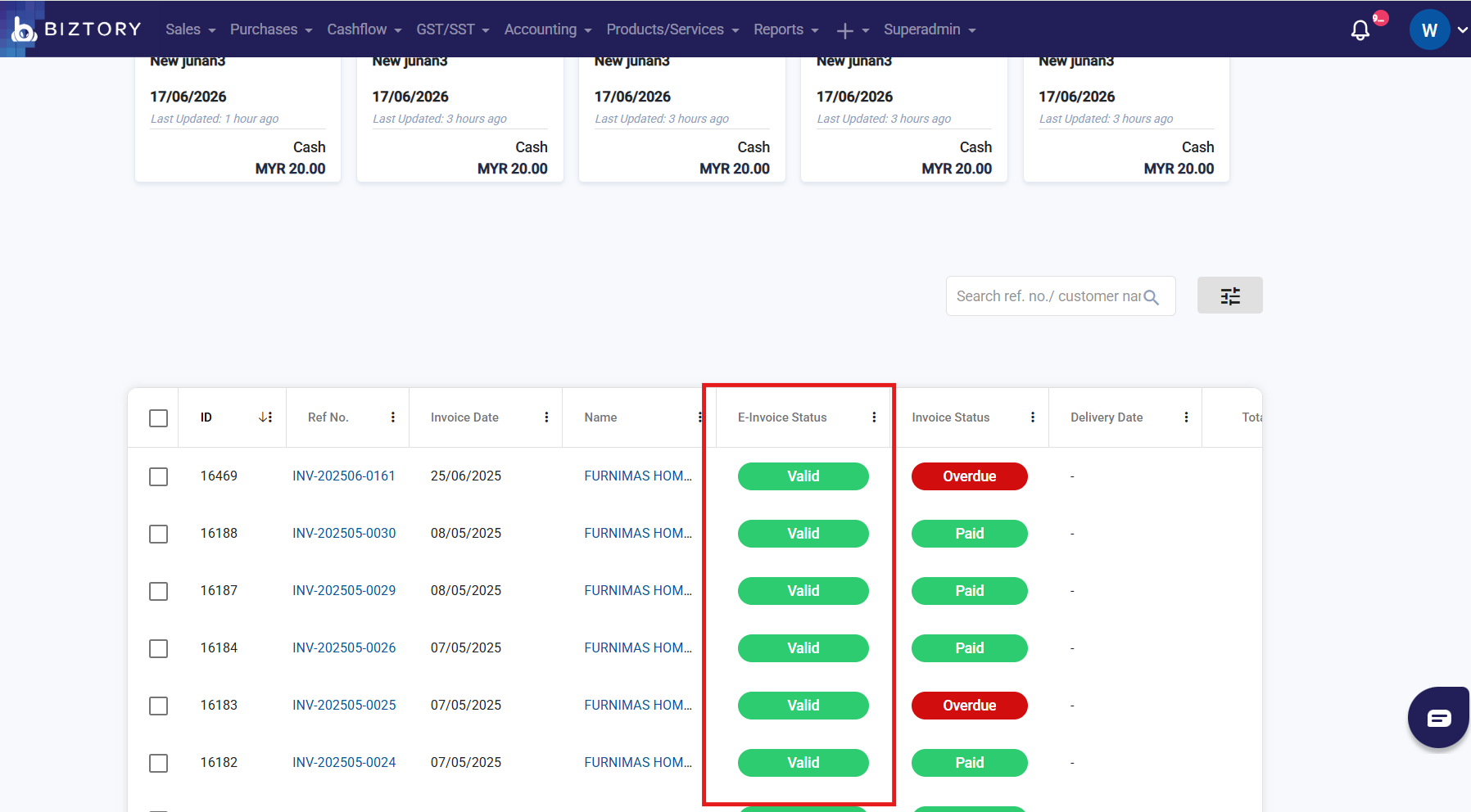
If the Sales Invoice has not been submitted as an e-Invoice, or its e-Invoice status is not yet Valid, scanning the QR code will only show the Sales Invoice preview page instead of the validated e-Invoice document.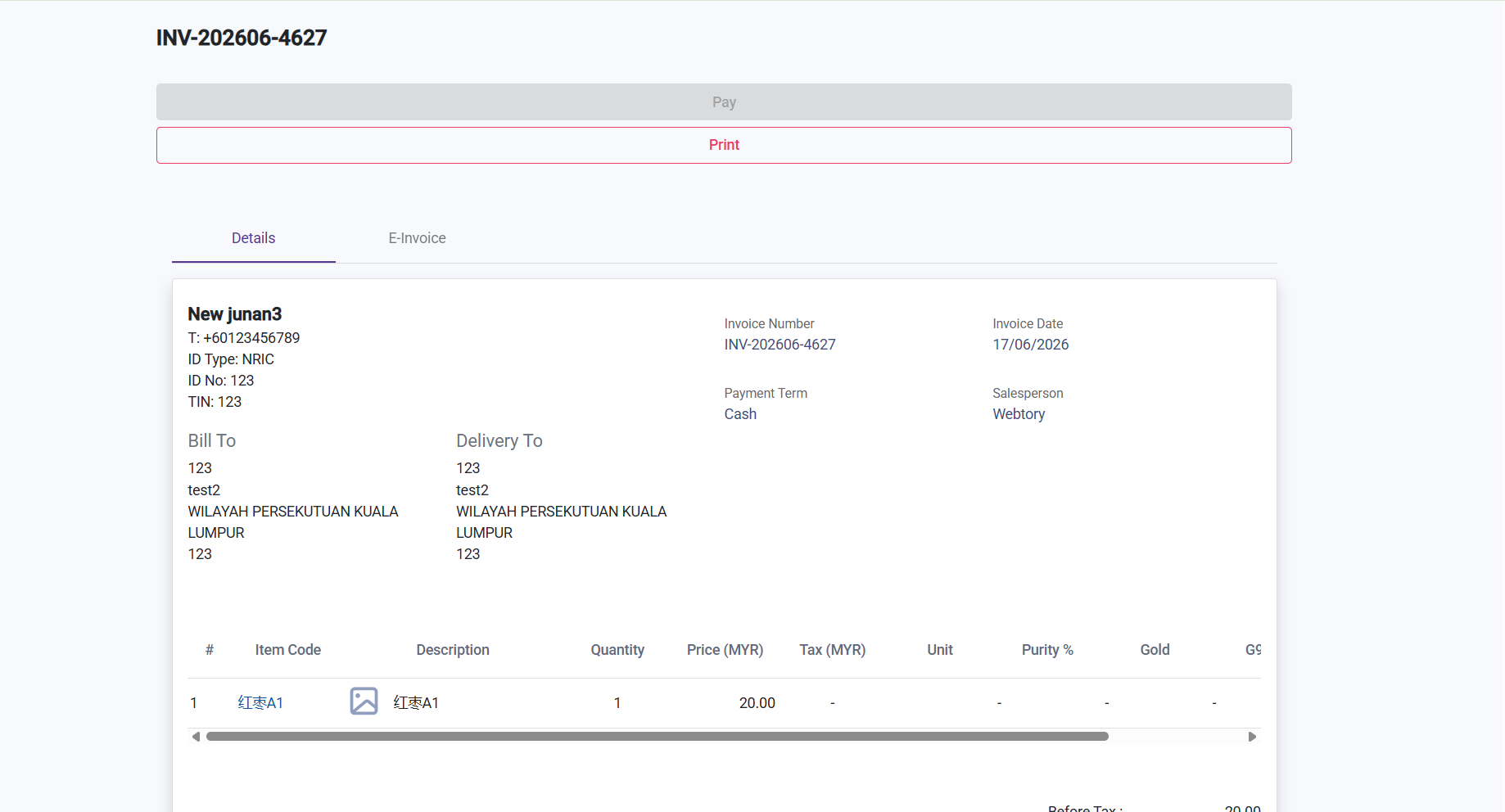
Was this article helpful?
That’s Great!
Thank you for your feedback
Sorry! We couldn't be helpful
Thank you for your feedback
Feedback sent
We appreciate your effort and will try to fix the article